Master power management optimization to eliminate stuttering, crashes, and throttling. Complete guide covering PSU selection, voltage regulation, efficiency, and stable power delivery for gaming.
why clean power delivery defines gaming stability
Power management represents the invisible foundation supporting every gaming system component. While enthusiasts obsess over GPU specifications, CPU core counts, and memory speeds, the quality of electrical power delivering energy to these components determines whether they actually achieve advertised performance. A graphics card capable of 200 FPS means nothing if voltage fluctuations cause crashes at critical moments. An overclocked CPU throttles despite adequate cooling when insufficient power delivery limits sustained boost clocks. Fast memory becomes unstable not from timing issues but from ripple in voltage rails affecting controller operation.
Gaming systems demand uniquely challenging power delivery requirements. Unlike office computers idling at 50-100 watts most of the time, gaming PCs transition instantly from near-idle to 400-700 watts when launching games. Modern GPUs alone spike to 350-450 watts during intensive scenes while CPUs burst to 150-250 watts during physics calculations. These rapid load transitions stress power supply units and motherboard voltage regulation modules, with inadequate power management causing crashes, stuttering, or performance throttling that players often misattribute to software issues or component defects.
The performance impact of poor power management manifests in multiple ways that directly affect gaming experience. Voltage droop under load causes system instability appearing as random crashes or blue screens during intensive gaming. Insufficient PSU capacity leads to protective shutdowns during power spikes. Voltage ripple introduces electrical noise corrupting data transfers between components creating subtle errors that manifest as texture corruption or physics glitches. Power supply efficiency affects operating temperatures, with inefficient PSUs generating excess heat that elevates case ambient temperature stressing component cooling.
Modern gaming components feature sophisticated power management technologies that optimize performance and efficiency. NVIDIA GPUs use boost algorithms dynamically adjusting clocks based on power and thermal headroom. AMD processors employ precision boost maximizing frequencies within power limits. These technologies work brilliantly when underlying power delivery provides clean stable electricity but fail to reach potential when power quality degrades. Understanding power management enables creating electrical environments where component boost algorithms deliver maximum performance.
This comprehensive guide explores power management optimization from power supply unit selection through voltage regulation configuration and efficiency maximization. You’ll learn how to calculate power requirements accurately, understand PSU efficiency ratings and their practical implications, optimize motherboard VRM cooling for stable overclocking, eliminate common power delivery issues causing instability, and implement monitoring systems catching power problems before they cause hardware damage.
Understanding power delivery architecture in gaming systems
Gaming PC power delivery involves multiple stages converting wall outlet AC power to clean DC voltages that components require for operation. Understanding this architecture helps identify bottlenecks and optimization opportunities.
Wall outlet power provides alternating current at 120V in North America or 230V in most other regions. This AC power enters your power supply unit which converts it to multiple DC voltage rails that PC components use. The conversion process introduces efficiency losses generating heat, with quality PSUs maintaining 85-95% efficiency while budget units waste 20-30% of input power as heat. Input power quality from wall outlets varies significantly affecting PSU ability to maintain clean output voltages.
Power supply unit architecture uses switching regulator circuits converting high voltage AC to low voltage DC through rectification, filtering, and regulation stages. Modern ATX PSUs provide three primary voltage rails: +12V for CPU and GPU, +5V for drives and peripherals, and +3.3V for legacy components and logic circuits. Gaming systems primarily rely on 12V rail quality since CPUs and GPUs draw most power from these lines. PSU quality directly correlates with voltage regulation tightness and ripple suppression on these critical rails.
Single rail versus multi-rail design affects power distribution and protection mechanisms. Single rail PSUs combine all 12V power into one high-capacity rail simplifying power delivery but lacking separation between subsystems. Multi-rail designs divide 12V output into multiple independent rails each with overcurrent protection, isolating issues in one subsystem from affecting others. Gaming systems work well with either design when total capacity proves adequate, though multi-rail offers theoretical safety advantages.
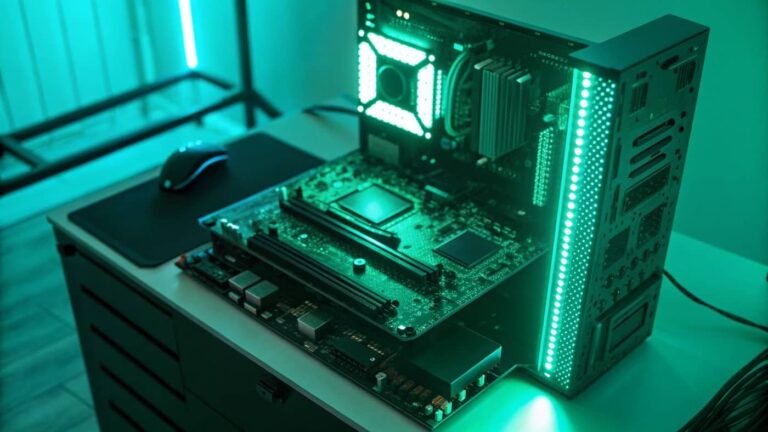
Motherboard voltage regulation modules step PSU voltages down to precise levels components require. CPUs need 0.8-1.5V depending on load, far lower than 12V supplied by PSU. VRM circuits on motherboards convert 12V to CPU voltage through buck converters using power phases. Quality motherboards use 8-16 power phases for CPUs enabling clean voltage delivery under varying loads. Budget boards with 4-6 phases struggle with power delivery during heavy loads or overclocking causing voltage instability.
PCIe power delivery supplements motherboard power for graphics cards drawing more than 75W slot limit. Modern high-end GPUs require dedicated 8-pin or 12-pin PCIe power connectors directly from PSU. These supplemental power connections bypass motherboard VRMs delivering power directly from PSU to GPU. Poor quality PCIe cables or loose connections create resistance reducing delivered voltage causing GPU instability or crashes under load.
Power consumption patterns in gaming differ dramatically from idle or light use. Modern systems idle at 50-100W with displays off and minimal background processes. Web browsing and light tasks consume 100-150W. Gaming loads spike to 300-700W depending on component specifications and game demands. These large load transitions happen instantly when launching games or during intensive scenes, stressing PSU transient response capabilities.
Efficiency losses throughout power delivery chain affect operating temperatures and electricity costs. Wall outlet to PSU conversion wastes 10-20% generating heat in PSU. PSU to component voltage conversion through VRMs loses another 5-10% generating motherboard heat. Total system efficiency from wall to component typically reaches 75-85%, meaning a 500W gaming load actually draws 600-650W from wall outlet with difference dissipated as heat requiring removal through case ventilation.
Power supply unit selection for gaming systems
Choosing appropriate PSU for gaming systems requires understanding capacity requirements, efficiency ratings, quality indicators, and feature sets that differentiate budget from premium units.
Wattage calculation determines minimum PSU capacity for stable operation. Add component TDP specifications: GPU TDP (200-450W for gaming cards), CPU TDP (65-250W depending on model), 100-150W for motherboard, RAM, storage, and peripherals. Sum total power consumption then add 30% headroom for efficiency, aging, and future upgrades. Typical gaming systems need 650-750W PSUs while high-end builds with flagship GPUs require 850-1000W units.
Efficiency ratings through 80 Plus certification indicate how much input power converts to useful output versus heat waste. 80 Plus Bronze maintains 85% efficiency at 50% load, 80 Plus Gold achieves 90%, and 80 Plus Platinum reaches 92%. Higher efficiency reduces electricity costs, generates less heat, and often correlates with better build quality. The efficiency difference between Bronze and Gold saves $10-20 yearly on electricity while producing 50W less heat during gaming, meaningful for thermal management in compact cases.
Modular versus non-modular cabling affects cable management and airflow. Non-modular PSUs include all cables permanently attached creating potential clutter from unused cables. Semi-modular units have essential cables attached with optional cables detachable. Fully modular PSUs allow connecting only needed cables improving cable management and case airflow. Modular designs cost more but benefit system aesthetics and cooling through cleaner cable routing.
Quality assessment goes beyond wattage and efficiency examining manufacturer reputation, warranty length, and component quality. Reputable brands like Corsair, Seasonic, EVGA, and be quiet! use Japanese capacitors with 105°C temperature ratings ensuring long lifespan. Budget brands often use cheaper capacitors rated for 85°C degrading faster under heat stress. Ten year warranties indicate manufacturer confidence in long-term reliability while three year warranties suggest lower quality components.
Voltage regulation specification indicates how tightly PSU maintains output voltages across varying loads. ATX specification allows ±5% voltage tolerance, meaning 12V rail can legally vary from 11.4V to 12.6V. Quality PSUs maintain much tighter regulation around ±2% providing more stable power delivery. Voltage regulation specification appears in PSU reviews with tighter regulation improving overclocking stability and component longevity through consistent power delivery.
Ripple and noise measurements reveal electrical interference introduced by PSU. Ripple represents voltage fluctuation on DC rails while noise indicates high-frequency interference. ATX specification allows 120mV ripple maximum, but quality units maintain under 30mV. Excessive ripple stresses components and causes instability particularly in overclocked systems. PSU reviews include ripple measurements with lower values indicating cleaner power delivery.
Fan design and acoustic performance affect noise levels during gaming. Zero RPM fan modes keep PSU fan stopped during light loads eliminating noise below certain power thresholds typically 30-40% capacity. Standard fan modes run continuously with variable speed based on load and temperature. Quality fan bearings and blade designs reduce noise at equivalent cooling performance. Silent PSU operation matters less during gaming with headphones but significantly impacts experience during light use.
Protection features prevent damage during fault conditions. Overvoltage protection (OVP) shuts down PSU if output exceeds safe limits preventing component damage. Overcurrent protection (OCP) limits current draw preventing cable overheating. Short circuit protection (SCP) detects shorts disconnecting power immediately. Quality PSUs include all protection types plus under-voltage protection and over-temperature protection creating multiple safety layers.
Voltage regulation and VRM optimization
Motherboard voltage regulation modules convert PSU power to precise voltages components require. VRM quality and cooling directly affect overclocking stability and component longevity.
VRM phase count indicates power delivery capability with more phases providing smoother voltage delivery. Entry-level motherboards use 4-6 power phases for CPU limiting overclocking headroom. Mid-range boards offer 8-12 phases handling moderate overclocks comfortably. High-end motherboards feature 14-20 phases enabling extreme overclocking with minimal voltage ripple. Each phase shares power delivery load reducing stress on individual components and improving regulation.
Phase doubling technology complicates simple phase counting with manufacturers marketing doubled phases. True 8-phase VRM uses 8 physical power stages, while 4-phase with doublers uses 4 controllers driving 8 output stages. True phases generally provide better performance though quality doublers perform adequately for most overclocking. Research specific motherboard VRM design understanding actual versus marketed phase counts before purchasing.
VRM component quality varies dramatically affecting thermal performance and reliability. DrMOS integrated power stages combine multiple components in single package improving efficiency and reducing heat generation. Discrete MOSFETs use separate high-side and low-side switches with potentially higher power handling but more components to fail. Premium motherboards specify component manufacturers and ratings while budget boards hide component details suggesting lower quality parts.
VRM heatsink design determines whether power delivery components stay cool during intensive loads. Large heatsinks with multiple heatpipes effectively dissipate heat from VRM components. Budget boards use small heatsinks or none at all causing VRM overheating during sustained loads or overclocking. VRM temperatures above 90-100°C indicate inadequate cooling requiring additional airflow or reduced power delivery loads through lower overclocks.
Active VRM cooling through dedicated fans improves thermal performance on high-end motherboards. Small fans mounted directly on VRM heatsinks provide forced convection reducing temperatures 10-20°C compared to passive cooling. Active cooling enables higher sustained overclocks though adds noise and potential failure point. Most mid-range boards use passive VRM cooling relying on case airflow for heat removal requiring attention to case fan configuration.
Load line calibration configured in BIOS compensates for voltage droop under load. When CPU transitions from idle to full load, resistance in power delivery causes voltage to drop below configured level. LLC settings apply overvoltage at idle that drops to target voltage under load maintaining consistent voltage. Too little LLC allows excessive droop causing instability, while too much LLC creates dangerous voltage spikes. Middle LLC settings typically provide best balance.
VRM efficiency affects heat generation and power delivery capability. High efficiency VRMs convert 95%+ of input power to useful output while lower efficiency designs waste 10-15% as heat. This efficiency difference generates 20-40W additional heat in low efficiency designs requiring better cooling or limiting overclocking potential. Modern DrMOS designs achieve excellent efficiency while older discrete MOSFET designs vary widely in efficiency based on component selection.
Voltage monitoring through software reveals VRM performance during gaming and stress testing. HWiNFO64 displays VRM temperatures, input voltage, output voltage, and power delivery for compatible motherboards. Monitor these values during stress testing watching for excessive VRM temperatures above 90°C or voltage droop exceeding 50mV from configured values. Problematic readings indicate VRM limitations requiring improved cooling or reduced overclocking.
Power consumption monitoring and optimization
Understanding and managing power consumption enables optimizing performance per watt and identifying potential power delivery issues before they cause instability.
Software monitoring tools track real-time power consumption for system components. HWiNFO64 displays CPU package power, GPU power draw, and motherboard sensor data showing power delivery to various subsystems. MSI Afterburner specifically monitors GPU power consumption revealing how much power graphics card draws during gaming. This software monitoring provides component-level visibility without additional hardware costs.
Hardware power meters measure total system consumption at wall outlet providing accurate efficiency and cost data. Kill-A-Watt meters plug between wall outlet and power cable displaying watts, voltage, and accumulated kilowatt-hours. These meters cost $20-40 providing precise measurements for calculating electricity costs and validating PSU adequate for actual consumption. Measure peak gaming power consumption ensuring system stays below 80% of PSU rated capacity.
Idle power optimization reduces electricity waste when system sits unused but powered on. Disable unnecessary RGB lighting through BIOS or software saving 5-20W. Enable CPU C-states allowing processor to enter low power states during idle reducing consumption 20-40W. Configure monitor sleep timers turning displays off after inactivity periods. These optimizations cut idle consumption from 80-100W to 40-60W saving electricity during inactive hours.
Gaming power profiles balance performance and consumption for different scenarios. Create custom Windows power plans for maximum performance during gaming eliminating power-saving features that add latency. Use balanced power plans during general use enabling CPU power management reducing consumption without meaningful performance impact. Switch between profiles based on workload matching power delivery to actual needs.
Component efficiency varies significantly between generations and manufacturers. Modern NVIDIA Ada Lovelace and AMD RDNA3 GPUs achieve better performance per watt than previous generations. Intel 12th/13th gen and AMD Ryzen 5000/7000 processors offer improved efficiency over older designs. When upgrading components, consider efficiency improvements sometimes enabling higher performance without increased power consumption or PSU upgrades.
Undervolting reduces power consumption while maintaining performance by lowering component voltages. GPU undervolting through MSI Afterburner curve editor reduces power consumption 30-80W while losing only 2-5% performance. CPU undervolting through XTU or BIOS reduces package power 15-40W with negligible performance impact. These efficiency gains reduce heat generation improving thermal headroom for sustained performance.
Power limit adjustment controls maximum component power consumption affecting performance and thermal output. Increasing power limits enables higher boost clocks and sustained performance at cost of increased consumption and heat. Reducing power limits caps consumption trading some performance for efficiency and lower temperatures. Experiment with power limits finding sweet spots that balance performance and power consumption for your cooling capability and efficiency priorities.
Electrical infrastructure and power quality
Power quality from wall outlets significantly impacts gaming system stability with proper electrical infrastructure preventing issues many users blame on component defects.
Electrical circuit capacity determines maximum safe continuous load before circuit breakers trip. Standard 15-amp circuits provide 1800W capacity with recommended maximum continuous load 80% or 1440W. Gaming systems consuming 600-800W at wall during peak loads easily coexist with monitors and peripherals on single circuit. However, adding space heaters, mini-fridges, or other high-draw devices risks overloading circuits causing nuisance tripping during gaming sessions.
Dedicated circuits for gaming systems eliminate competition with other household appliances. Gaming PCs sharing circuits with refrigerators, air conditioners, or window units experience voltage fluctuations when those devices cycle on causing potential system instability. Installing dedicated 20-amp circuit for gaming area provides 2400W capacity with clean power delivery unaffected by other loads. This electrical upgrade costs $200-500 but prevents power-related instability.
Grounding quality affects both safety and system stability. Proper electrical ground provides reference voltage for power supply operation and safety path for fault currents. Test outlets using three-light outlet testers verifying proper ground connection. Improper or missing ground causes floating ground voltage leading to intermittent system issues including unexpected shutdowns or component instability. Address grounding deficiencies through qualified electrician.
Voltage variation from power grid affects PSU input conditions. North American grids nominally provide 120V with acceptable range 114-126V. Sustained voltage outside this range indicates utility issues or overloaded neighborhood transformer. Monitor input voltage using UPS displays or Kill-A-Watt meters. Voltage consistently below 110V or above 130V suggests contacting utility company investigating power quality issues affecting your area.
Power factor correction in modern PSUs improves efficiency and reduces electrical infrastructure stress. PFC circuits reshape input current waveform matching voltage phase reducing reactive power. Active PFC achieves 95%+ power factor while passive PFC reaches 70-80%. Higher power factor reduces electrical system load and sometimes qualifies for utility rebates. All quality PSUs include active PFC as standard feature.
Surge protection defends against voltage spikes from lightning strikes, grid switching, or large motor startups. Quality surge protectors feature metal oxide varistors absorbing voltage spikes before reaching connected equipment. Joule rating indicates energy absorption capacity with minimum 2000 joules recommended for gaming systems. Replace surge protectors after significant surge events even if equipment seems unaffected since protection components degrade after absorbing spikes.
Uninterruptible power supplies provide battery backup preventing data loss during outages. UPS systems maintain power delivery during brief outages allowing graceful shutdown during extended power loss. Line-interactive and online UPS topologies also provide voltage regulation smoothing input power fluctuations. Gaming systems benefit from UPS battery backup preventing save corruption or hardware damage from sudden power loss during gameplay.
Electrical noise from motors, fluorescent lights, and switching power supplies introduces interference potentially affecting system stability. Electronic devices share electrical circuits coupling noise through power lines. Quality PSUs filter input noise preventing interference from reaching system components. Separating gaming systems from known noise sources like refrigerators or workshop tools on dedicated circuits improves power quality.
Troubleshooting power delivery problems
Power-related issues manifest as crashes, throttling, or component failures requiring systematic diagnosis differentiating power problems from other hardware issues.
Random crashes under load frequently indicate insufficient power delivery. If system crashes consistently during intensive gaming but runs stable during light use, suspect PSU capacity inadequate for peak loads. Monitor power consumption using software or hardware meters verifying PSU capacity exceeds peak draw by comfortable margin. Upgrade PSU if system consistently crashes above 75-80% of PSU rated capacity.
Blue screen errors with unexpected kernel mode trap or system service exception often relate to voltage instability. Note stop codes and error descriptions researching whether they suggest hardware issues versus software conflicts. Hardware-related stop codes particularly during gaming suggest voltage problems from PSU quality or VRM issues. Test with different PSU if available isolating whether power delivery causes crashes.
GPU artifacts during gaming sometimes stem from insufficient PCIe power delivery. Colored dots, screen flickering, or texture corruption under load indicate GPU instability often blamed on overclocking but potentially caused by inadequate power. Verify PCIe power cables firmly connected to both PSU and GPU. Try different PCIe power cables or PSU connectors eliminating cable issues. Reduce GPU overclock testing whether power delivery limits rather than GPU silicon causes instability.
System shutdown during gaming indicates PSU overload protection or overheating. Protective shutdowns occur when PSU hits capacity limits or internal temperatures exceed thresholds. Check PSU fan operation ensuring cooling works properly. Reduce system power consumption through CPU/GPU undervolting or power limits. Consider PSU upgrade if shutdowns persist with confirmed adequate cooling.
Coil whine from PSU or GPU VRM results from components vibrating at audible frequencies under load. While annoying, coil whine doesn’t predict failure or indicate damage. High frequency switching in power circuits causes physical vibration in inductors. Some coil whine reduces with component break-in over first weeks of use. Changing power delivery frequencies through slight voltage adjustments sometimes reduces audible frequencies. Consider RMA for excessive coil whine if still under warranty.
VRM overheating causes CPU throttling despite adequate CPU temperatures. If CPU clocks drop during load while CPU temperatures remain below 80°C, check VRM temperatures using HWiNFO64. VRM temperatures exceeding 100°C trigger throttling protection reducing power delivery and CPU clocks. Improve VRM cooling through additional case fans directing airflow across motherboard or reduce CPU power consumption through power limits or undervolting.
Voltage droop under load appears as configured voltage not maintained during gaming. Monitor CPU or GPU voltage during stress testing watching for drops exceeding 50-100mV from configured values. Excessive droop causes instability requiring increased LLC settings in BIOS or reduced overclocks matching VRM delivery capability. Persistent severe droop suggests VRM inadequate for power delivery demands requiring motherboard upgrade for higher overclocks.
Burning smell from PSU requires immediate shutdown and investigation. Burning odor indicates component failure or overheating within PSU. Immediately power down system and unplug power cable. Do not attempt powering on again without identifying and resolving issue. Burning smells suggest imminent PSU failure requiring replacement before attempting system operation. Never ignore burning odors as continued operation risks fire hazard or damage to other components.
Advanced power optimization techniques
Expert-level power management optimization extracts maximum performance while maintaining efficiency and stability through sophisticated tuning approaches.
Per-component power budgeting allocates available PSU capacity strategically across components. Gaming systems often run GPU at maximum power while limiting CPU draw to stay within PSU capacity. Configure GPU power limit to maximum allowing full boost potential while setting CPU power limits slightly conservatively ensuring total system consumption stays below PSU capacity. This strategic allocation prioritizes GPU performance where it matters most for gaming.
Dynamic power switching between profiles optimizes for different usage scenarios. Create aggressive power profile for competitive gaming maximizing performance. Configure efficiency profile for casual gaming limiting power consumption and noise. Use Windows power plans or motherboard software automatically switching profiles based on application detection. This automation optimizes power delivery matching usage without manual intervention.
PSU efficiency optimization involves operating PSU at its sweet spot between 50-80% capacity. PSUs achieve maximum efficiency at middle load ranges with reduced efficiency near maximum capacity or minimum loads. Size PSU so typical gaming loads fall in 50-70% range maximizing efficiency. Oversized PSUs operating at 30% capacity waste electricity through reduced efficiency despite having ample capacity.
Cable gauge optimization for high-power components reduces resistance improving voltage delivery. Stock PSU cables adequate for specifications but high-quality aftermarket cables with thicker gauge reduce voltage drop over cable length. This particularly matters for GPU power cables carrying 200-300W to graphics cards. Premium 16AWG cables outperform stock 18AWG cables reducing voltage drop that can cause GPU instability under peak loads.
Multiple PSU configurations using dedicated PSUs for GPU power eliminates potential bottlenecks in extreme high-power systems. Dual PSU setups with primary PSU powering motherboard and secondary PSU exclusively powering GPU ensures each component receives clean power without competition. Dual PSU adapter cables synchronize startup. This approach suits extreme builds with 500W+ GPUs preventing single PSU limitations.
Power supply break-in period allows capacitors to stabilize and fans to settle potentially improving performance and noise. New PSUs sometimes exhibit higher coil whine and voltage ripple during initial operation normalizing after 50-100 hours use. Run new PSU through several intensive gaming sessions allowing components to break in before final system optimization and stress testing validation.
Efficiency monitoring over time tracks PSU degradation suggesting replacement before failure. PSUs gradually lose efficiency as capacitors age and components degrade. Measure wall power consumption yearly noting increases indicating reduced efficiency. Efficiency drops of 5-10% suggest aging PSU approaching end of service life warranting replacement before failure disrupts gaming.
Frequently asked questions about gaming power management
How do I calculate required PSU wattage for my gaming PC?
Add component TDPs: GPU (200-450W), CPU (65-250W), and 100-150W for everything else. Total typical gaming system power, then add 30% headroom. Most gaming systems need 650-750W PSUs while high-end builds require 850-1000W. Measure actual consumption with power meter validating calculations match real-world usage.
Is 80 Plus Gold worth the extra cost over Bronze?
Gold efficiency saves approximately $10-20 yearly in electricity versus Bronze while generating 30-50W less heat. Over PSU lifespan, electricity savings largely offset initial cost difference. Gold PSUs often use better quality components improving reliability beyond efficiency benefits. Choose Gold for builds prioritizing efficiency and thermal management.
Can bad PSU damage other components?
Yes, failed PSUs sometimes damage connected components through overvoltage or short circuits. Quality PSUs include protection circuits preventing damage during failures while budget units lack comprehensive protection. This risk justifies investing in reputable PSU brands with robust protection features and solid warranties protecting investment.
Why does my system crash only during gaming?
Gaming creates maximum power draw stressing PSU capacity limits or exposing voltage delivery issues. Crashes during intensive loads suggest PSU inadequate for peak consumption or VRM unable to deliver stable voltage during high current draw. Monitor power consumption and voltages during crashes identifying whether power delivery causes instability.
How long do PSUs typically last?
Quality PSUs with 10-year warranties typically last 7-10 years before efficiency degradation or component wear necessitates replacement. Budget PSUs might last 3-5 years before reliability concerns warrant upgrading. Capacitor quality primarily determines longevity with Japanese capacitors rated 105°C lasting significantly longer than cheaper alternatives.
Should I upgrade my PSU when upgrading GPU?
Check whether new GPU power requirements exceed current PSU capacity. If new GPU plus existing components total more than 80% of PSU capacity, upgrade PSU. Modern high-end GPUs (RTX 4080/4090, RX 7900 XTX) require 850-1000W PSUs while mid-range cards work fine with 650-750W units.
What causes PSU coil whine and can it be fixed?
Coil whine results from inductor vibration at audible frequencies during high-frequency switching. Component quality variations explain why some PSUs exhibit coil whine while others don’t. Break-in period sometimes reduces whine. Slight voltage adjustments might shift frequencies out of audible range. Excessive whine warrants RMA replacement if bothering during use.
Do I need UPS for gaming PC?
UPS provides battery backup preventing data loss during power outages and voltage regulation protecting against grid fluctuations. Gaming systems benefit from UPS backup preventing save corruption or hardware damage from sudden power loss. Choose line-interactive UPS with sufficient VA rating for your system consumption plus 30% headroom.
stable power as foundation for gaming performance
Power management optimization establishes the electrical foundation enabling all other performance modifications to deliver consistent results. Proper PSU selection ensures adequate capacity and quality for stable operation, VRM optimization maintains clean voltage delivery during varying loads, and comprehensive monitoring catches power issues before they cause crashes or component damage. These foundational elements work together creating electrical environments where gaming components achieve maximum performance potential.
Understanding power delivery chain from wall outlet through PSU and motherboard VRMs to components enables identifying and resolving power-related issues that cause instability. Many crashes and performance problems blamed on drivers, operating systems, or component defects actually stem from inadequate power delivery or poor voltage regulation. Systematic power management optimization eliminates these electrical issues revealing whether remaining problems truly relate to software or hardware.
Clean stable power delivery enables aggressive overclocking while maintaining reliability. CPUs and GPUs boost to maximum frequencies when voltage remains stable without droop or ripple. Memory controllers handle high frequencies when proper voltage reaches them consistently. Storage drives operate without errors when power rails stay clean. Every component benefits from quality power management amplifying effects of other optimization efforts.
Power management combined with BIOS optimization, thermal solutions, and component overclocking creates complete system environments that maximize gaming performance through hardware and electrical optimization. These foundational approaches establish reliable platforms where software optimizations through registry tweaks, config modifications, and application settings deliver their full potential.