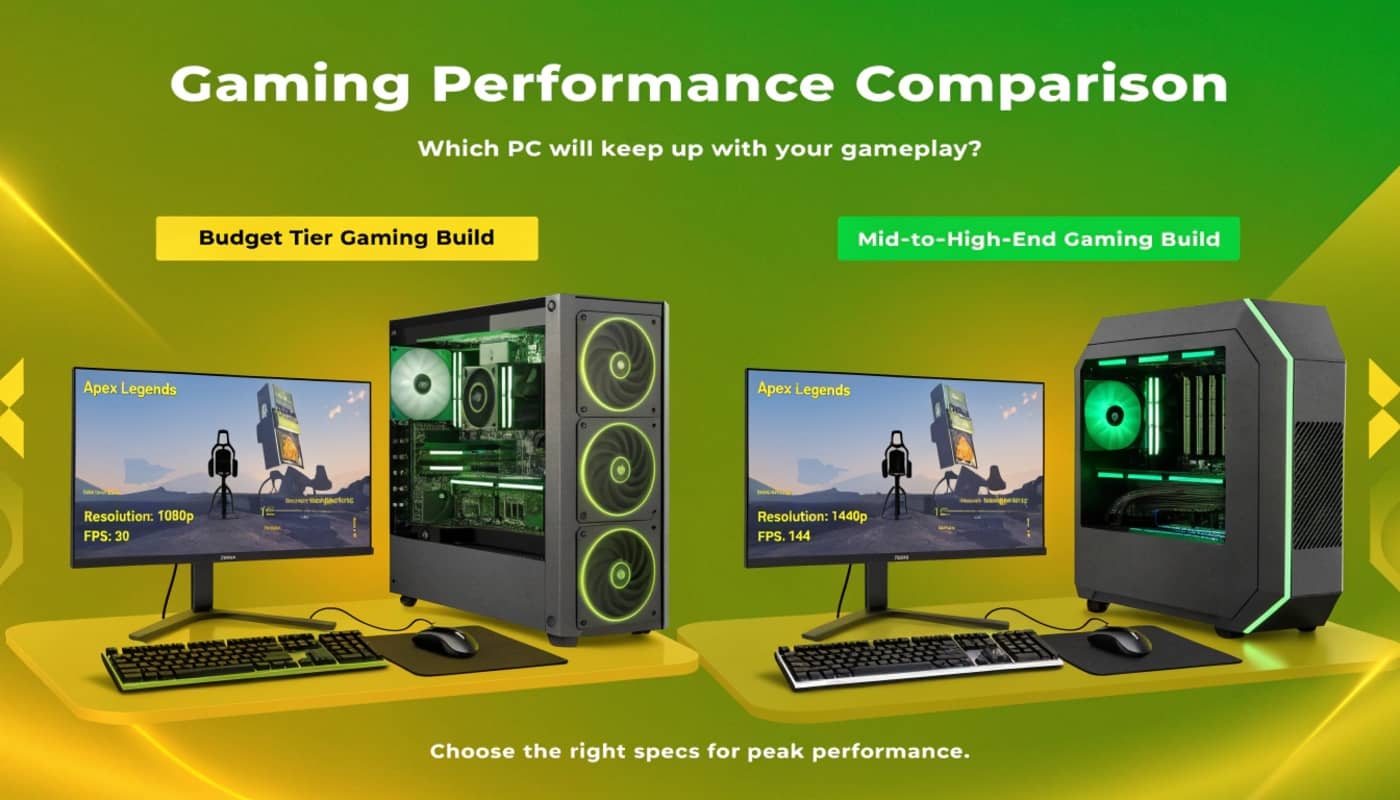
a $600 to $1200 budget is the entry point to serious 1080p gaming and comfortable 1440p gaming at lower frame rates. this price range lets you build a balanced system that plays current games smoothly without forcing expensive compromises.
most gamers at this budget level overthink the decision. they worry about getting enough power. they second-guess component choices. they spend hours researching whether a $100 component difference matters. the reality is simpler: at this budget, straightforward component matching delivers excellent results.
the $600-$1200 range is where PC gaming becomes accessible to most players. you’re not dealing with extreme constraints like ultra-budget building. you’re also not spending luxury prices for 4K capability. you’re in the practical sweet spot where money translates directly to noticeable performance.
understanding what this budget actually delivers prevents disappointment and unrealistic expectations. a $700 system delivers reliable 1080p gaming at 60-75 frames. it doesn’t deliver 1440p 144 frames. it doesn’t run every game on ultra settings. but it delivers smooth, enjoyable gaming at reasonable settings.
for context on how this budget tier fits into the broader spectrum of gaming systems and performance targets, review our guide on choosing gaming performance targets and understanding how resolution, frame rate, and budget interconnect.
The $700 sweet spot entry build
Where budget gaming starts making sense
$700 is the realistic minimum for a balanced gaming system that plays current games. below this, you’re making too many compromises. at $700, you get a functioning, capable machine.
component breakdown for a $700 system looks like this: a ryzen 5 7600 cpu at $200-230. an rtx 4060 ti gpu at $300-330. 16gb of ddr5 ram at 5600mhz for $70-90. a 1tb nvme ssd for $70-90. a 650-watt power supply for $60-80. a mesh case with decent airflow for $50-70. total: roughly $850-900 with minor variations based on sales and regional pricing.
this combination is balanced. the cpu and gpu are in the same performance tier. neither is dramatically overpowered relative to the other. the power supply has appropriate headroom. the storage is fast enough. everything works together without bottlenecks.
real gaming performance from this system: 1080p gaming at high settings delivers 70-90 frames in demanding titles like cyberpunk 2077 and alan wake 2. competitive games like valorant and counter-strike 2 hit 120-150+ frames easily at high settings. less demanding single-player games like elden ring run at 100+ frames on high settings.
frame consistency is solid. you’re not seeing wild fluctuations between 60 and 120 frames. the system maintains relatively stable frame rates because the components are matched.
this budget also covers a functioning 1440p experience at reduced settings. you can game at 1440p on high settings at 50-60 frames, which is playable but not ideal. 1440p on medium settings hits 70-80 frames, which feels smooth. the system is technically capable of 1440p but 1080p is where it excels.
thermal performance is reasonable. the ryzen 5 7600 with basic air cooling stays in the 60-70°c range during gaming. the rtx 4060 ti stays around 70-75°c. neither component thermal throttles under normal conditions.
the upgrade path is clear. after 2-3 years, the gpu becomes the limiting factor. dropping $500-600 into an rtx 4070 super or equivalent new card doubles frame rates at that point. the cpu remains capable for another year or two. the motherboard, ram, and storage all have years of remaining utility.
power efficiency is excellent at this tier. the system draws around 300-350 watts under gaming load, which is why a 650-watt psu is sufficient with headroom.
The $1000 comfortable 1080p build
Adding $300 transforms the experience
jumping from $700 to $1000 budget doesn’t double performance, but it noticeably improves it. you move from entry-level capable to comfortable and responsive.
a $1000 build typically replaces the rtx 4060 ti with an rtx 4070 or keeps the 4060 ti and adds better supporting components. the most common approach is upgrading the gpu while keeping everything else similar.
component breakdown for a $1000 build: a ryzen 5 7600 or ryzen 7 5700x at $200-250. an rtx 4070 at $450-500. 16gb ddr5 ram at $80-100. a 1tb nvme ssd at $70-90. a 750-watt power supply at $80-100. a better mesh case at $70-100. a decent cpu cooler at $30-50. total: roughly $1050-$1200.
this system delivers comfortable 1080p gaming at high-to-ultra settings. cyberpunk 2077 at 1080p ultra hits 85-100 frames. alan wake 2 maintains 90+ frames. baldur’s gate 3 stays above 80 frames. competitive games exceed 150 frames easily.
the jump in frame rate from the $700 system to this $1000 system is about 20-30 percent higher. that difference feels meaningful when you’re gaming. motion is smoother. responsiveness improves slightly.
1440p becomes more viable at this price tier. 1440p on high settings delivers 70-90 frames, which is quite playable. you can comfortably play at 1440p on high settings with this system, though ultra settings require dropping to 50-60 frames.
thermal management improves slightly because the ryzen 7 in this option has better thermal characteristics than the ryzen 5. you might add a decent tower air cooler or small aio, which keeps temperatures even more controlled.
power draw increases to around 380-420 watts under load, which is why a 750-watt psu is appropriate.
the case quality usually improves at this price tier. you get better cable management, better airflow, better aesthetics. the practical impact is easier building and better thermals.
The $1200 performance sweet spot
Where the budget hits genuine sweet spot territory
$1200 is where budget building reaches genuine sweet spot performance. you’re not making harsh compromises anymore. you’re getting legitimately good performance.
component breakdown for a $1200 build: a ryzen 7 7700x or intel i7-12700k at $280-320. an rtx 4070 or rtx 4070 super at $500-550. 32gb ddr5 ram at $150-180. a 1tb nvme ssd at $80-100. a 750-watt 80+ gold power supply at $100-130. a quality mesh case at $80-120. a decent cpu cooler at $40-60. total: roughly $1230-$1400.
this system comfortably plays 1440p gaming at high-to-ultra settings. cyberpunk 2077 at 1440p high maintains 90-110 frames. alan wake 2 stays at 95+ frames. demanding games hit 80+ frames consistently.
1080p gaming is trivial for this system. you’re hitting 150-200+ frames in demanding titles at high settings. competitive games exceed 200 frames easily.
the real upgrade at this tier is the jump to 32gb ram. this enables smoother multitasking, running background applications without impacting gaming, and more comfortable streaming if you want to experiment with content creation.
thermal performance is excellent. the ryzen 7 or i7 with a decent cooler stays in the 55-65°c range during gaming. the rtx 4070 or 4070 super sits around 70-75°c. thermals are controlled and silent.
power draw reaches around 420-450 watts, which the 750-watt psu handles comfortably with significant headroom.
this system can handle light streaming. if you want to stream gameplay while playing, the cpu can manage x264 encoding without completely destroying game frame rates. streaming at 720p 60fps at 8000 bitrate is feasible without dropping below 80 frames in-game.
the upgrade path is excellent. this system can run games released through 2026 without major issues. by 2025-2026, a gpu upgrade improves frame rates significantly but isn’t urgent.
common mistakes at this budget level
How to waste money at $600-$1200
even at this budget tier, people make expensive mistakes. understanding what to avoid prevents frustration and wasted spending.
mistake 1: cheap power supply. buying a 450-watt power supply for a $1200 system is a false economy. a cheap psu causes thermal problems, has poor voltage regulation, and shortens system lifespan. spending an extra $30-40 on a quality 650-750 watt 80+ bronze or gold psu prevents problems. this is one area where saving money costs you.
mistake 2: ignoring case airflow. a $40 case with poor front airflow severely limits a $1200 system. your components thermally throttle, reducing performance by 10-15 percent. that’s performance loss you literally paid for but can’t use. spending $80-120 on a case with excellent front mesh airflow prevents this.
mistake 3: oversized components. buying an rtx 4080 with a ryzen 5 7600 creates a bottleneck. the rtx 4080 costs $1000+ while the cpu can’t feed it work fast enough. you pay expensive gpu money but get mid-range performance. match components in performance tier.
mistake 4: prioritizing specs over performance. buying a gpu with extra vram because “more is better” wastes money at this budget. an 8gb rtx 4060 ti and 12gb rtx 4060 ti perform identically at 1080p. you’re paying for vram you’ll never use. prioritize actual performance metrics: cuda cores, memory bandwidth, real benchmarks. ignore vram count unless you’re doing professional work.
mistake 5: stock cooling on cpu. a $250 ryzen 7 with stock cooling thermal throttles under sustained load. you lose 10-15 percent performance. a $30-50 tower cooler or small aio prevents this. cooling is cheap insurance for cpu performance.
mistake 6: slow storage. buying a sata ssd instead of nvme to save $20 creates a bottleneck in everything from game load times to system responsiveness. nvme is cheaper than sata now anyway. always buy nvme.
Gaming experience reality at this budget
What smooth gameplay actually feels like
at $600-$1200, you get a responsive, smooth gaming experience in the games you actually want to play. this isn’t theoretical. this is real gaming comfort.
playing valorant at 140 frames on a 1440p 144hz monitor feels buttery smooth. your crosshair tracks perfectly. your aim is tight. the game feels responsive to your inputs.
playing elden ring at 1440p high settings hitting 90+ frames feels cinematic and smooth. there’s no stuttering. no frame drops. combat is responsive. exploration is fluid.
playing baldur’s gate 3 at 1080p high settings hitting 80+ frames is comfortable for a single-player experience. dialogue scenes look good. exploration is fluid. combat isn’t frame-rate sensitive so 80 frames feels perfectly adequate.
playing cyberpunk 2077 at 1440p high settings without ray tracing hitting 100+ frames feels like the game is meant to be played. the city exploration is smooth. driving is responsive. combat is fluid.
the consistency matters. these aren’t peak frame rates. these are sustainable frame rates you maintain throughout entire gaming sessions. your average frame rate is close to your minimum frame rate. there are no random drops to 60 frames that ruin the experience.
streaming while gaming is possible but challenging at this tier. you can stream competitive games at 720p 60fps while maintaining 80-100 frames in-game. streaming demanding single-player games while maintaining 80+ frames is tight and might require dropping to 1080p medium settings.
Component selection for this budget
Specific component pairings that work
for $700 budget: pair a ryzen 5 7600 or intel i5-12400 with an rtx 4060 ti or rtx 4070. both pairings are balanced. the rtx 4070 option edges toward a $1000 total.
for $1000 budget: pair a ryzen 7 5700x or intel i7-12700k with an rtx 4070. this combo balances performance across cpu and gpu.
for $1200 budget: pair a ryzen 7 7700x or intel i7-13700k with an rtx 4070 super or rtx 4080 (at the upper end). this combo delivers genuine 1440p performance.
avoid: pairing budget cpus with high-end gpus. avoid pairing high-end cpus with budget gpus. avoid cheap power supplies. avoid cases that restrict airflow.
ram: 16gb is sufficient at all these budgets for gaming. 32gb helps at the $1200 level if multitasking or streaming interests you.
storage: 1tb is the minimum. 2tb is better if you have a large game library. nvme gen3 or gen4 both work fine. gen4 is slightly faster but gen3 is adequate for gaming.
cooler: stock cooling works on cpu but adding a $30-50 tower cooler improves thermals and silence noticeably.
The upgrade path from budget builds
How long this system lasts
a $700 system purchased today remains relevant for 3-4 years. by year 3, the gpu becomes obviously limiting if you want to play at your monitor’s native settings. dropping $500-600 into a new gpu restores performance peaks.
a $1000 system lasts 4-5 years. by year 4-5, current games start requiring gpu upgrade for acceptable frame rates. the cpu remains capable through year 5.
a $1200 system lasts 5+ years. it’s positioned well enough that cpu upgrade becomes optional for years. gpu upgrade in year 4-5 keeps it current.
at all these budgets, the motherboard, ram, case, and psu last the entire ownership cycle. you’re not replacing those. you’re just upgrading gpu, and potentially cpu + motherboard + ram after 5+ years if you want to.
the key is that you’re not locked into upgrade hell. your initial $1000 investment in case, psu, motherboard, and ram lasts many years. you’re only replacing gpu periodically.
a $600-$1200 budget builds capable gaming systems that deliver excellent experiences at 1080p and solid experiences at 1440p. this budget range eliminates most of the harsh compromises of ultra-budget building while keeping costs reasonable.
at $700, you get smooth 1080p gaming at high settings. at $1000, you get comfortable 1080p gaming at high-to-ultra settings. at $1200, you get solid 1440p gaming at high settings.
the key to success at this budget is straightforward component matching. avoid bottlenecks. avoid cheap psu and case. invest in thermals. match cpu and gpu in performance tier.
avoid common mistakes like buying cheap power supplies, ignoring case airflow, buying oversized components that don’t match, and prioritizing specs over actual performance.
the gaming experience from these systems is responsive, smooth, and genuinely enjoyable. you’re not dealing with constant compromises or frustrating stuttering. you get reliable frame rates that support smooth gameplay.
the upgrade path is clear and straightforward. after several years, a single gpu upgrade restores performance peaks. the rest of your system remains useful.
a $600-$1200 budget is the realistic entry point to solid gaming pc performance that delivers on promises.