building a gaming PC teaches expensive lessons if you don’t know what to avoid. some mistakes cost just money. others cost both money and performance. the worst mistakes do both: they waste cash and reduce the frame rates you actually get from your hardware.
most gamers make similar mistakes. they overlook the same issues. they prioritize the wrong components. they buy things that sound good on paper but deliver nothing in reality. these mistakes are preventable if you understand what actually matters and what doesn’t.
the difference between a well-built system and a poorly-built system at the same price can be 30-40% in actual gaming performance. that’s the performance delta between spending smart and spending poorly. you’re paying the same money but one system delivers twice the frame rates.
understanding these mistakes before you build prevents frustration and wasted spending. you’ll make smarter component choices. you’ll prioritize what actually impacts gaming performance. you’ll end up with a system that feels fast and plays smoothly instead of one that disappoints.
for the broader context on smart component selection and identifying which parts actually matter for gaming performance, review our guide on understanding bottlenecks and making smart upgrade decisions based on real performance monitoring rather than specs.
Buying a cheap power supply
The false economy that costs performance
a cheap power supply seems like an easy place to save money. you’re looking at $400 system components. the PSU is either $60 (cheap) or $120 (quality). why spend double, right.
the reality is worse than wasting $60. a cheap PSU causes multiple problems. voltage regulation is poor. the power delivery is unstable. your GPU and CPU get inconsistent voltage. they throttle to protect themselves. you lose 10-15% performance.
cheap PSUs also fail more frequently. they get capacitor aging issues. they develop coil whine. they short out. a $60 PSU might last 2-3 years. a $120 quality PSU lasts 7-10 years. you’re actually paying more per year with the cheap unit.
worst case: a cheap PSU fails catastrophically. it takes your GPU with it. your $500 graphics card is dead. you’ve now spent $560 total ($60 PSU + $500 replacement GPU) instead of $620 for a quality PSU that wouldn’t have failed.
real world example: you build a system with a cheap 450-watt PSU. the recommended wattage is 550 watts. the cheap PSU is always operating near maximum. it can’t deliver stable power. your GPU thermal throttles. your CPU throttles. your frame rates are 15-20% lower than they should be. you spent $60 and lost $1000 worth of performance through throttling.
proper power supply investment: calculate your peak draw (CPU TDP + GPU TDP + 100 watts). add 20-30% headroom. that’s your target wattage. spend $100-130 for a quality 80+ Gold unit. that’s not an optional luxury. that’s essential infrastructure.
the cost difference between a cheap and quality PSU is usually $50-60. the performance difference is 10-15%. the reliability difference is massive. it’s not an economy. it’s a mistake.
Ignoring case airflow
Thermal throttling wastes performance silently
a $40 case with poor front airflow severely limits gaming performance. your CPU and GPU both thermal throttle from lack of cooling. your frame rates drop 10-20% compared to the same components in a case with good airflow.
you don’t notice the throttling happening. you just see lower frame rates than expected. you assume your components are weak. you don’t realize that bad cooling is the problem. so you waste money upgrading components that aren’t the issue.
real world example: you build with an RTX 4070 and Ryzen 7 in a cheap case with poor front mesh. your case has a single rear exhaust fan. no front intake fans. no airflow strategy. your GPU runs at 82°C and thermal throttles. your CPU runs at 78°C and thermal throttles. you get 70 frames where you should get 90 frames. you blame the components. you consider upgrading. actually, the case airflow is the problem.
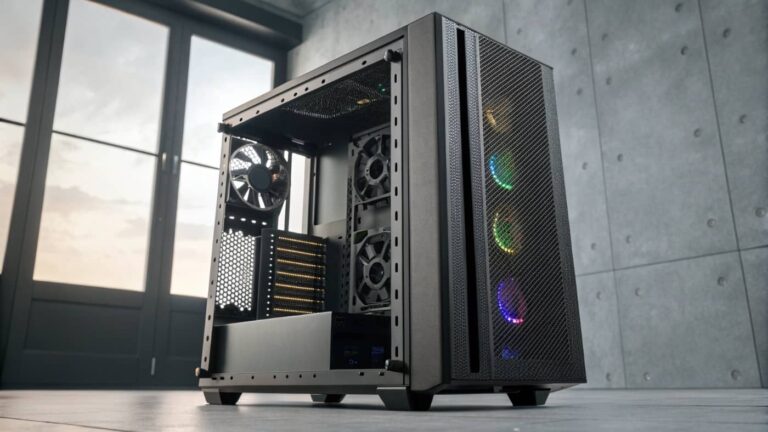
solution: buy a case with excellent front mesh intake area. spend $80-120 on a case specifically designed for airflow. examples include NZXT Flow, Fractal Design North, or Corsair 4000D Airflow. add case fans if needed. proper airflow costs less than losing performance.
the penalty for cheap cases: 10-20% frame rate reduction. the cost to fix it: $80-100 in case upgrade. the cost-benefit math is obvious. spend money on airflow.
thermal management: after your case, add adequate cooling. stock cooling on CPUs causes thermal throttling. a $30-50 tower cooler prevents this. a $80-120 AIO cooler keeps everything cool and quiet. thermal management is infrastructure. treat it like one.
Pairing mismatched components
When your expensive GPU sits idle
pairing a high-end GPU with a budget CPU creates a bottleneck where the GPU can’t get work. you pay RTX 4090 money ($1500) but get RTX 4070 performance (70% of the GPU’s potential) because the CPU can’t feed work fast enough.
the reverse problem exists too: a high-end CPU with a budget GPU is equally wasteful. you’ve spent $400 on CPU power that the GPU can’t utilize.
real world example: you buy an RTX 4080 ($1100) to pair with your old Ryzen 5 5600 CPU ($150). you’re excited about the performance jump. in reality, the RTX 4080 is so powerful that your CPU can’t feed it work fast enough. the GPU runs at 60% utilization instead of 95-100% utilization. you get the performance of an RTX 4070 instead of RTX 4080. you wasted $600 on GPU capacity you can’t use.
the fix: match CPU and GPU in performance tier. a $300 CPU should pair with a $300-400 GPU. a $500 CPU should pair with a $500-600 GPU. this ensures both components are fully utilized.
component matching guide: if your CPU is in the $200-250 range, pair with a GPU in the $300-400 range. if your CPU is in the $300-350 range, pair with a GPU in the $500-600 range. if your CPU is in the $400+ range, pair with a GPU in the $700+ range.
mismatched systems perform worse than balanced systems at the same total cost. match components and you get better performance at identical prices.
Prioritizing specs over real performance
Why VRAM and core counts don’t always matter
you see a 12GB GPU and an 8GB GPU at the same price and assume 12GB is better. you see a 16-core CPU and an 8-core CPU and assume 16 cores is better. these assumptions are wrong often enough to cost real money.
an 8GB RTX 4060 and a 12GB RTX 4060 perform identically at 1080p gaming. the extra VRAM does nothing. you’re paying for capacity you’ll never use. VRAM only matters if you exceed the limit, which doesn’t happen at 1080p or even 1440p in most games.
same principle with CPU cores. a game that uses 4 cores perfectly has zero benefit from a 16-core CPU. if you’re gaming 80% of the time and streaming 20% of the time, a 16-core CPU helps for streaming but feels identical for pure gaming.
real world example: you’re comparing two GPUs at the same price. one is RTX 4070 with 12GB VRAM. the other is RTX 4070 Super with 12GB VRAM. you pick the 4070 because the RTX 4070 Super doesn’t have better specs on paper. actually, the 4070 Super has more CUDA cores and higher memory bandwidth. the 4070 Super is 15-20% faster. specs like VRAM misled you.
the fix: prioritize actual performance metrics. for GPUs: CUDA cores and memory bandwidth matter. for CPUs: single-core performance and core count for your specific workload matter. ignore headline specs like total VRAM or total core count.
example: when choosing between GPUs, check benchmarks in games you actually play. when choosing CPUs, check performance in gaming and streaming scenarios you’ll actually use. ignore specs. check real-world performance.
Cheap cooling despite expensive CPUs
Buying a $300 CPU and using stock cooling
a $300 Ryzen 7 with stock cooling thermal throttles under sustained gaming load. the stock cooler is designed for the CPU’s rated TDP, not for gaming stress. your CPU hits 85-90°C and reduces clock speed to stay cool. you lose 10-15% performance.
the stock cooler costs $0 (included). a quality tower cooler costs $30-50. an AIO cooler costs $80-120. you’re choosing between losing performance or spending $30-120. the choice is obvious.
real world example: you buy a Ryzen 7 7700X ($320). you use stock cooling. during gaming, the CPU hits 88°C and throttles. your frame rates are 10-15% lower than they should be. a $50 tower cooler prevents this. you lose more performance value ($1000+ in GPU capability unrealized) by saving $50 on cooling.
the investment in cooling is essential to getting the performance you paid for. your CPU cost $300. your GPU cost $500-600. you’re protecting $800-900 worth of investment by spending $50 on a cooler. the math is obvious.
proper cooling guide: budget $30-50 for a tower cooler if your CPU is in the $200-300 range. budget $80-120 for an AIO cooler if your CPU is in the $400+ range. this ensures your CPU performs without throttling.
Using slow storage
How a slow drive throttles your entire system
buying a SATA SSD to save $20 instead of NVMe SSD creates bottlenecks throughout your system. slow storage affects game load times, system responsiveness, and asset streaming.
real world example: you pair an RTX 4070 with a SATA SSD instead of NVMe. game load times increase from 45 seconds to 2 minutes. system responsiveness feels sluggish. when you travel to new areas in open-world games, you get stuttering while assets load from slow storage. you spent $20 and created multiple problems.
NVMe has become cheap enough that SATA is no longer worth buying. gen3 NVMe costs similar amounts to SATA and delivers 4-5x faster performance. gen4 NVMe costs slightly more and delivers 7-8x faster performance than SATA.
proper storage strategy: use a 500GB-1TB NVMe Gen3 or Gen4 for your OS and primary applications. add a 2TB NVMe Gen3 for games and projects. this strategy gives you speed where it matters and capacity where you need it. total cost is similar to buying a slow larger drive.
storage doesn’t affect in-game frame rates much once assets are loaded. but it affects load times, asset streaming, stuttering, and overall system responsiveness. investing in fast storage improves your daily experience with the PC.
Ignoring RAM speed and latency for gaming
DDR5 CAS 30 versus DDR5 CAS 14
you assume all DDR5 3600MHz RAM performs identically. you buy the cheapest option to save $20. the cheapest option has CAS 30 latency. the expensive option has CAS 14 latency. the difference is real.
DDR5 3600MHz CAS 30 versus DDR5 3600MHz CAS 14 affects gaming responsiveness noticeably. the lower latency option feels snappier. camera movement feels more responsive. aiming feels tighter. the frame rate is similar but responsiveness is different.
real world example: you’re comparing two DDR5 3600MHz kits at $150 and $180. the cheaper one is CAS 30. the expensive one is CAS 14. you save $30 by picking the cheap one. in gaming, the cheap one feels slightly sluggish compared to the expensive one. the $30 savings cost you noticeable responsiveness.
for competitive gaming, tight timings matter more than speed. a CAS 14 kit at 3600MHz feels more responsive than a CAS 18 kit at 4000MHz. prioritize latency over frequency.
for single-player gaming, the difference is less noticeable but still present. the $30 difference in RAM cost is worth the responsiveness improvement.
proper RAM selection: prioritize tight timings (CAS 14-16) over high frequency for gaming. if you’re choosing between 3600MHz CAS 14 and 4000MHz CAS 18, pick the 3600MHz CAS 14.
Building for hypothetical future needs
The cost of imaginary use cases
you don’t stream now but think you might someday. so you buy a Ryzen 9 CPU and high-end cooling to future-proof. you spend $400 on CPU power you’re not using today. when you actually want to stream in 3 years, you’ll want to upgrade anyway because new CPUs are faster.
you don’t do 8K video editing now but assume you might. so you buy an RTX 4090 ($1500) and 256GB RAM ($4000). total: $5500 on capability you might never use. in reality, you’ll game at 1440p. the 4090 is overkill. the 256GB RAM is absurd.
real world example: you build a system expecting to stream. you buy a Ryzen 9 at $400 and high-end everything. total cost: $2500. you use it for pure gaming for 2 years. then you want to try streaming and realize you want a newer, faster CPU anyway. your $400 CPU investment is wasted. you should have built for current needs.
the fix: build for current use cases. upgrade when actual needs appear. if you’re gaming today, optimize for gaming. if you want to stream in the future, upgrade the CPU then. don’t pay for future capacity you might never use.
over-specifying wastes money. build smartly for what you actually do today.
Upgrading too frequently
The cost of chasing marginal improvements
upgrading your GPU every year yields 10-15% performance improvement per upgrade. that’s marginal. upgrading every 2-3 years yields 40-60% improvement. that’s substantial.
the yearly upgrade path: spend $500 on a new GPU. gain 10% performance. feels wasteful for the cost.
the 2-3 year upgrade path: wait 2-3 years. spend $500 on a GPU. gain 50% performance. feels valuable. you waited and the improvement justifies the cost.
real world example: you have an RTX 3070. you see RTX 4070 is 15% faster. you spend $500. you gain $75 worth of performance (15% of $500). bad value. wait until RTX 4080 or 5070 is available. that’s 50-60% faster. $500 gains $250-300 worth of performance. way better value.
the compound cost of yearly upgrading: spend $500/year for 3 years = $1500 total. gain 10% + 10% + 10% = 30% cumulative improvement. versus wait 3 years, spend $500 once, gain 50% improvement. the waiting approach is cheaper and delivers better results.
upgrade on sensible cycles. GPU every 2-3 years. CPU every 4-5 years. anything more frequent is wasteful.
avoid these nine mistakes and your PC building is dramatically better. you won’t waste money on things that don’t matter. you won’t lose performance to poor choices. you won’t regret your system 6 months after building it.
invest in power supply quality. it’s essential infrastructure that protects your entire system.
prioritize case airflow. thermal throttling silently reduces performance. good airflow costs less than losing performance.
match your CPU and GPU in performance tier. bottlenecks waste money.
prioritize real performance metrics over impressive specs. check benchmarks. ignore headline numbers.
invest in cooling for expensive CPUs. you’re protecting hundreds of dollars in investment.
buy fast storage. NVMe is affordable and eliminates bottlenecks throughout your system.
prioritize RAM latency over speed for gaming. tight timings matter.
build for current needs. upgrade for future needs when they actually appear. don’t pay for hypothetical use cases.
upgrade on sensible cycles. waiting 2-3 years for GPU upgrade and 4-5 years for CPU upgrade maximizes value.
follow this guidance and avoid the expensive mistakes that plague most builders. your PC will perform better, last longer, and cost less overall.