Is your PC actually ready for Arknights Endfield or will you be stuck watching the game stutter while everyone else explores Talos-II at 120 FPS? With over 35 million pre-registrations and a fully free-to-play launch on PC this is 2025’s most ambitious action RPG. This guide breaks down every PC build tier system requirement and performance fix you need to play Arknights Endfield at its absolute best. ▶ Download Is Completely Free


What is Arknights Endfield and why PC matters
Gameplay overview
Developed by Hypergryph and published by Gryphline Arknights Endfield transforms the original tower defense universe into a fully realized 3D action RPG. You play as the Endministrator on a moon called Talos-II rebuilding civilization commanding Operators and managing the Automated Industry Complex (AIC). Think of it as two games in one: fast-paced action combat where you switch between four Operators mid-fight and a factory simulation system like Factorio where you automate production lines to power your squad. The AIC represents roughly 50% of the game and directly feeds your combat progression so you cannot ignore it.
Why PC is the better choice
PC gives you a 120 FPS mode NVIDIA DLSS Super Resolution and Frame Generation and precise mouse and keyboard controls that make both combat and factory management far more comfortable than on mobile. Playing on mobile versus PC is like watching a movie in standard definition versus 4K on a giant screen. The story is the same but the experience is on a completely different level. Creating your Arknights Endfield account costs absolutely nothing so your only investment is the hardware itself.
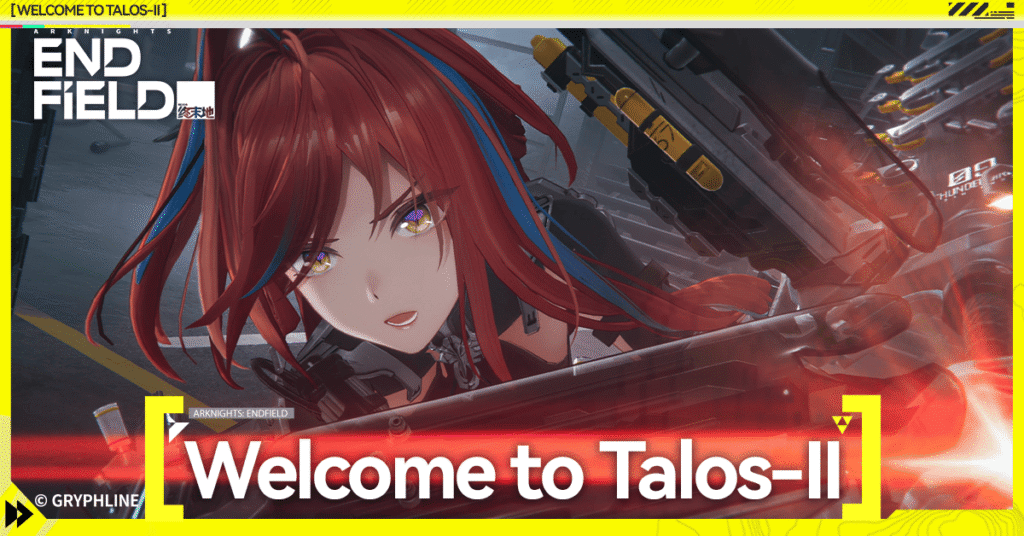
Official Arknights Endfield PC system requirements
| Component | Minimum | Recommended | Ultra |
|---|---|---|---|
| OS | Windows 10 64-bit | Windows 10/11 64-bit | Windows 11 64-bit |
| CPU | i5-6600 / Ryzen 5 1600 | i7-8700 / Ryzen 5 3600 | i9-12900K / Ryzen 9 5900X |
| GPU | GTX 1060 6GB / RX 580 | RTX 2060 / RX 5700 XT | RTX 4070 Ti / RX 7900 XT |
| RAM | 12 GB | 16 GB | 32 GB DDR5 |
| Storage | 30 GB HDD | 30 GB SSD | Gen 4 NVMe SSD 1 TB |
| DirectX | Version 11 | Version 12 | Version 12 Ultimate |
At minimum specs the game runs but expect texture pop-in and frame rate dips during combat. Beta testers on HDDs reported 30-second load screens for base transitions. The recommended specs deliver stable 60 FPS at 1080p on high settings which is where most players want to be. The ultra tier targets 1440p or 4K at maximum settings with DLSS and 120 FPS fully unlocked.
Arknights: Endfield is a real-time 3D RPG with strategic elements. The combat system allows players to switch between all four party members on the fly, using unique skills and abilities to tactically take down enemies.
Best PC builds for Arknights Endfield in 2025
Budget tier stable 1080p gaming
The AMD Ryzen 5 5600 is the best value CPU for this tier. It delivers 6 cores and 12 threads for under $120 and handles the game’s AI-driven enemy behavior without becoming a bottleneck. Pair it with an AMD RX 6600 for stable 1080p gameplay at medium-high settings. The RX 6600 edges ahead of the GTX 1660 Super thanks to its newer architecture and 8 GB of VRAM which prevents texture pop-in during base-building cutscenes.
For RAM go with 16 GB DDR4 at 3200MHz in dual-channel meaning two 8 GB sticks not one 16 GB stick. Dual-channel memory can improve frame rates by up to 15% in Arknights Endfield. Skip the HDD entirely and use a 500 GB SATA SSD. The cost difference is negligible and the load time improvement is dramatic. Complete the build with a B550M chipset motherboard for PCIe 4.0 support.

Mid-range tier smooth 1440p gaming
The AMD Ryzen 5 7600X or Intel Core i5-13600K paired with an RTX 4060 Ti or RX 7700 XT is the sweet spot for 1440p gameplay. The RTX 4060 Ti supports DLSS 3 Frame Generation which can effectively double your frame rate in Arknights Endfield. Add 16 GB DDR5 and a Gen 4 NVMe SSD to complete the build.
For cooling use a 240mm AIO or the Thermalright Peerless Assassin 120 to keep temperatures stable during long factory management sessions. Use a 650W 80+ Gold PSU from a reputable brand. Never cheap out on the power supply since a failing PSU can damage every other component in your system.
High-end tier 4K ultra settings
For the absolute best experience pair an RTX 4080 Super with an AMD Ryzen 9 7900X or Intel Core i9-13900K. Add 32 GB DDR5 at 6000MHz and a Samsung 990 Pro or WD Black SN850X Gen 4 NVMe SSD. Zone loading at this tier falls under 3 seconds compared to 15 seconds or more on an HDD. This configuration handles real-time combat physics factory simulation and open-world streaming simultaneously without any bottleneck.
The good news is that creating your Arknights: Endfield account costs absolutely nothing the game is fully free-to-play across all platforms. Your investment is purely in the hardware and this guide will help you make the most of every dollar you spend.
Common PC problems and how to fix them
Low FPS and stuttering
Single-channel RAM is the most overlooked cause of stuttering. Two 8 GB sticks instead of one 16 GB stick can improve frame rates by up to 15%. CPU bottlenecks from older processors also cause issues during factory simulation where dozens of production lines run at the same time. Shader compilation on first launch causes brief stutters that resolve naturally so let the process finish before playing seriously.
Crashes and launch failures
Work through this list in order if Arknights Endfield refuses to launch:
- Update your GPU drivers
- Verify game files through the launcher
- Temporarily disable antivirus software
- Increase Windows virtual memory if RAM is below 16 GB
- Disable overlay software like Discord and MSI Afterburner
Overheating and thermal throttling
If your frame rate drops after 20 to 30 minutes thermal throttling is the likely cause. Use HWMonitor or MSI Afterburner to check temperatures. CPUs should stay below 85°C and GPUs below 83°C under load. If you exceed these numbers clean accumulated dust reapply thermal paste or upgrade your cooling solution entirely.
How to fix performance issues on Arknights Endfield PC

Best in-game graphics settings
| Setting | Recommended level | Reason |
|---|---|---|
| Shadow quality | Medium | Biggest GPU drain in open areas |
| Anti-aliasing | DLSS or FSR | Better performance than TAA with minimal quality loss |
| Ambient occlusion | Medium or off | Barely noticeable in motion and expensive to render |
| Texture quality | High | Very low performance cost with major visual impact |
| Draw distance | Medium-High | Reduce if you experience open-world stuttering |
| Post-processing | Medium | Ultra adds almost no visible improvement |
Windows optimization tips
Set your power plan to High Performance disable Xbox Game Bar and enable Game Mode in Windows settings. Toggle Hardware-Accelerated GPU Scheduling and test both states since it helps on some systems and hurts on others. Set Arknights Endfield’s process priority to High in Task Manager for a quick responsiveness boost. To reduce input lag enable Exclusive Fullscreen mode disable V-Sync and use NVIDIA Reflex or your monitor’s G-Sync or FreeSync instead.
Expert tips for the best Arknights Endfield PC experience
For your display aim for a 1440p 144Hz IPS monitor as the sweet spot. If budget allows a monitor with HDR 600 or higher adds real visual depth in darker underground zones and dramatic combat scenes. Always enable HDR in both Windows display settings and inside the game’s graphics menu at the same time or it will not work properly.
On storage the numbers speak for themselves. Beta testers reported 30-second load times on HDDs. A SATA SSD drops that to 5 to 8 seconds. A Gen 4 NVMe SSD falls to 2 to 3 seconds. If you only make one hardware upgrade before playing Arknights Endfield make it an SSD.
For network use a wired Ethernet connection and choose a server region closest to your location during account setup. Close bandwidth-heavy background apps while playing and consider a Wi-Fi 6 router if a wired connection is not an option.
Real-world benchmark results
| Build | Resolution | Average FPS | With DLSS |
|---|---|---|---|
| Budget (Ryzen 5 5600 + RX 6600) | 1080p medium-high | 55-70 FPS | N/A |
| Mid-range (i5-13600K + RTX 4060 Ti) | 1440p high | 80-110 FPS | 100-130 FPS |
| High-end (i9-13900K + RTX 4080 Super) | 4K ultra | 60-80 FPS | 90+ FPS |
Even the budget build will feel like a revelation for players coming from mobile. Sharper textures more dynamic lighting and consistent framing make a massive difference over touch controls on a small screen. The mid-range build hits the sweet spot of performance per dollar at 1440p high settings with 100+ FPS on DLSS. The high-end build delivers a Talos-II that rivals AAA console releases at their absolute peak.
Is your current PC good enough for Arknights Endfield?
Press Windows + R type dxdiag and hit Enter to see your CPU RAM and GPU. Use Speccy or CPU-Z for a more detailed breakdown including RAM speed and storage type. If your GPU has 4 GB of VRAM expect texture issues even on medium settings. Single-channel RAM below 16 GB is a high-priority fix. If you are still on an HDD that is the first thing to change before anything else.
If your PC falls short upgrade in this order:
- GPU first Biggest impact on frame rates by far
- RAM second Cheap fix that noticeably improves performance
- Storage third Switch to SSD for dramatically better load times
- CPU fourth Only if older than 6th gen Intel or Ryzen 1000 series
- Cooling last Only if you are actively experiencing thermal throttling
A targeted GPU upgrade can transform an aging PC into a capable gaming machine without a full rebuild. Start there and only move on to other components if needed.
Getting started on Arknights Endfield will not cost you a single dollar. Your only investment is the hardware that lets you enjoy it at its best Talos-II is waiting.
Final thoughts: build right play better
You do not need an RTX 4090 to have a great time in Arknights Endfield. Even the budget build delivers a significantly better experience than any mobile device and the mid-range build pushes into genuinely premium territory. Prioritize your GPU run dual-channel RAM and always use an SSD. Those three steps alone will transform your experience on Talos-II. Since registering your free Arknights Endfield account costs nothing there is no reason to wait. Get your rig ready and explore Talos-II the way it was meant to be seen. Drop your build in the comments below and let us know what FPS you are hitting.