the $1200 to $2000 budget is where PC gaming becomes genuinely rewarding. this price range eliminates nearly all compromises. you’re not choosing between performance and visual quality anymore. you get both.
most gamers building at this budget level are making their first serious investment in gaming hardware. they’ve done research. they understand component matching. they’re ready to commit to a system that lasts 4-5 years without feeling underpowered.
the performance jump from budget tier to mid-range is noticeable. you’re not just getting more frames. you’re getting smoother frame consistency, better thermal performance, quieter operation, and the ability to play games at your monitor’s native settings without compromise. a $1500 system delivers legitimate 1440p 144Hz performance. that’s the definition of mid-range sweet spot.
understanding what this budget actually delivers prevents overspending on components you don’t need while ensuring you invest in the components that matter. the money spent here is the most efficient money you’ll spend in gaming hardware. diminishing returns haven’t kicked in yet.
for context on how this tier fits within the full spectrum of gaming builds and performance targets, review our guide on choosing gaming performance targets and understanding how resolution, frame rate, and budget interconnect across different system tiers.
The $1500 system—balanced 1440p gaming
Where everything aligns perfectly
a $1500 total system cost is the natural pivot point between budget and high-end. at this price, you stop making meaningful compromises.
component breakdown: a ryzen 7 7700X or Intel i7-13700K at $280-320. an RTX 4070 or RX 7800 XT at $480-530. 32GB DDR5 RAM at 5600MHz for $140-180. a 2TB NVMe Gen4 drive at $150-180. an 850-watt 80+ Gold power supply at $100-130. a quality mesh case with excellent airflow at $80-120. a mid-range tower cooler or 240mm AIO at $50-80. total: roughly $1500-$1650.
this configuration delivers what most 1440p gamers actually want. cyberpunk 2077 at 1440p high settings maintains 100-120 frames. alan wake 2 sits around 95-110 frames on high. baldur’s gate 3 holds 85-100 frames on high settings. starfield runs at 80-100 frames on high. demanding games hit 80+ frames consistently.
the cpu and GPU are perfectly matched. neither sits idle waiting for the other. both are fully utilized, delivering their intended performance. this balance is critical to satisfaction at this price point.
thermal performance is excellent. the ryzen 7 with a decent cooler stays in the 55-65°C range. the RTX 4070 holds 70-75°C. thermals are controlled without excessive fan noise. the system runs efficiently and quietly during gaming.
power efficiency is good. the system draws around 420-450 watts under sustained gaming load. the 850-watt PSU provides comfortable headroom without wasting money on oversized power.
frame consistency is the real win at this tier. you’re not seeing stuttering or frame time inconsistency. the system maintains steady frame rates throughout entire gaming sessions. this consistency makes the experience feel responsive and smooth.
The $1800 system-comfortable 1440p 144Hz
Adding $300 transforms responsiveness
jumping to $1800 adds meaningful performance increases. you’re no longer targeting 1440p high settings. you’re targeting 1440p high settings at consistent 100-144 frames.
component breakdown: a ryzen 7 7700X or Intel i7-13700KS at $300-350. an RTX 4070 Super or RTX 4080 at $550-650. 32GB DDR5 RAM at $150-180. a 2TB NVMe Gen4 drive at $150-180. an 850-watt 80+ Gold PSU at $100-130. a premium mesh case at $100-150. a 240mm or 280mm AIO cooler at $80-120. total: roughly $1800-$2000.
real gaming performance: cyberpunk 2077 at 1440p high with DLSS quality mode maintains 110-130 frames. alan wake 2 at 1440p high sustains 110+ frames. baldur’s gate 3 at 1440p high stays around 95-110 frames. even demanding titles hit 90+ frames at 1440p high.
the jump from $1500 to $1800 is about 20-30% more performance. that difference is noticeable. motion feels snappier. fast camera pans appear smoother. the responsiveness improves measurably.
ultra settings become viable at this tier. you can play 1440p ultra settings at 70-85 frames in most games. that’s acceptable for single-player games where frame rate sensitivity is lower.
ray tracing with DLSS becomes practical. you can enable ray tracing medium settings, activate DLSS quality mode, and maintain 80-100 frames at 1440p. the visual quality improvement is noticeable without forcing compromises on frame rate.
thermal performance remains excellent. the 240mm or 280mm AIO cooler keeps the CPU under 60°C even during sustained loads. the GPU maintains 70-75°C. everything operates within ideal ranges.
The $2000 system—1440p maxed and 4K possibility
The upper boundary of mid-range value
at $2000, you’re reaching the edge of diminishing returns. the performance jump from $1800 is smaller than the jump from $1500 to $1800. but you’re still getting meaningful improvements.
component breakdown: a ryzen 9 9900X or Intel i9-13900K at $400-450. an RTX 4080 Super at $650-750. 32GB DDR5 RAM at $150-180. a 2TB NVMe Gen4 primary plus 2TB secondary storage at $250-300. a 1000-watt 80+ Gold PSU at $130-160. a premium case at $120-150. a 280mm or 360mm AIO cooler at $100-150. total: roughly $2000-$2150.
gaming performance at 1440p: you’re hitting 120-144 frames at high settings in demanding titles. ultra settings deliver 90-110 frames. ray tracing with DLSS quality mode sits around 80-100 frames. you’re no longer making setting compromises.
1080p gaming is trivial. competitive games exceed 240 frames easily at high settings. you’re maxing out monitor refresh rates.
4K gaming becomes possible. you can play 4K at 45-60 frames on high settings, which is acceptable for single-player games. 4K at medium settings hits 60+ frames consistently. if you have a 4K monitor, this system delivers usable 4K performance.
the real advantage at $2000 is flexibility. you can play at any resolution with any settings without compromise. you’re not choosing. you’re selecting what appeals to you and the hardware handles it.
the CPU upgrade to ryzen 9 or i9 provides extra cores for streaming and content creation. if you want to stream gameplay, this CPU has comfortable overhead.
Mid-range component recommendations
What actually works together
for $1500: pair a ryzen 7 7700X or Intel i7-13700K with an RTX 4070. add 32GB DDR5 RAM at 5600MHz. this combination balances performance perfectly.
for $1800: upgrade the GPU to RTX 4070 Super or RTX 4080. keep everything else. the GPU is the performance limiter so upgrading it maximizes ROI.
for $2000: upgrade the CPU to ryzen 9 or i9. keep the RTX 4080. this provides extra CPU overhead for streaming and multitasking.
avoid: pairing budget CPUs like ryzen 5 with expensive GPUs like RTX 4080. avoid pairing expensive CPUs with budget GPUs like RTX 4060. match components in performance tier.
storage: 2TB is recommended at this tier. your OS takes ~50GB. a modern game library quickly fills 1TB. 2TB is comfortable without making sacrifices on game selection.
RAM: 32GB is standard at this tier. the upgrade from 16GB to 32GB is cheap and useful for multitasking and streaming.
cooler: a 240mm or 280mm AIO is appropriate for ryzen 7 and i7 CPUs. a quality tower cooler works too but AIO runs quieter.
The true mid-range gaming experience
What smooth 1440p 144Hz actually feels like
at $1500-$2000, you get a genuinely responsive, smooth gaming experience. there’s no compromise. there’s no “if I turn down settings I can hit these frames.” you just play.
playing valorant at 1440p on a 144Hz monitor feels effortless. your crosshair is perfectly responsive. your aim tracks smoothly. the game feels tied to your inputs.
playing baldur’s gate 3 at 1440p high settings at 90+ frames feels cinematic and smooth. you’re not worried about frame rate. you’re experiencing the game world.
playing cyberpunk 2077 at 1440p high with DLSS at 110+ frames feels like the game is meant to be played. city exploration is smooth. driving is responsive. nightlife scenes are rendered in detail.
playing elden ring at 1440p high at 100+ frames feels excellent. combat is responsive. movement is fluid. fast-paced exploration doesn’t cause stuttering.
the consistency matters. these are sustained frame rates, not peak numbers. your 1% low frame rate is close to your average. there’s no stuttering or unpredictable performance.
streaming while gaming is comfortable at this tier. you can stream gameplay at 1080p 60fps while maintaining 100+ frames in-game. the CPU headroom in these builds handles simultaneous gaming and streaming without compromising either.
content creation is practical. you can record 4K gameplay to disk while gaming. you can edit video projects smoothly. you have CPU overhead for background tasks.
Mistakes to avoid at mid-range budget
Where money gets wasted even at $1200-$2000
even with increased budget, people make mistakes that waste money or limit performance.
mistake 1: overbuying the power supply. spending $200 on a 1200-watt PSU when an 850-watt PSU costs $120 wastes $80. the 850-watt is appropriate. the extra wattage provides zero benefit.
mistake 2: buying expensive but mismatched components. an RTX 4090 with a ryzen 5 7600 CPU creates a bottleneck. you’re spending $1500 on GPU but getting $800 performance because the CPU can’t feed work to it. match components in the same performance tier.
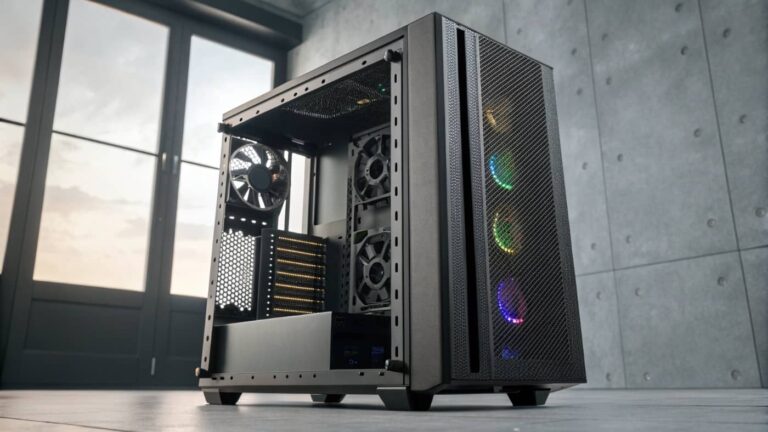
mistake 3: prioritizing aesthetics over performance. spending $150 on an expensive case with tempered glass but poor airflow limits system performance. spending $100 on a case with excellent airflow is the right choice. thermals matter more than looks.
mistake 4: cheap cooling despite expensive CPU. buying a ryzen 9 CPU and using stock cooling is false economy. the stock cooler can’t handle sustained loads. the CPU thermal throttles. a $100 AIO or $50 quality tower cooler prevents this.
mistake 5: cheap RAM when DDR5 options exist. buying DDR4 RAM to save money when DDR5 costs similar amounts is outdated thinking. DDR5 is faster and platform-appropriate. budget $150-180 for 32GB DDR5.
mistake 6: ignoring storage speed. buying a slow SATA SSD instead of Gen4 NVMe to save $30 creates bottlenecks throughout the system. nvme Gen4 is faster and often costs less than SATA now. always prioritize speed.
The lifespan and upgrade path
How long mid-range systems stay relevant
a $1500 system purchased today remains genuinely capable through 2027-2028. by 2027, demanding games might require GPU upgrade for 1440p high settings at consistent 100+ frames. the CPU remains capable for another 1-2 years beyond that.
a $1800 system lasts through 2028-2029 before GPU upgrade becomes necessary for cutting-edge performance. the CPU remains capable longer.
a $2000 system stays relevant through 2029-2030. it’s positioned well enough that CPU upgrade is optional even at that point.
the key is that you’re not locked into expensive upgrade cycles. your initial investment in motherboard, case, RAM, and PSU lasts the entire ownership cycle. you’re only upgrading GPU after 3-4 years, and potentially CPU + motherboard + RAM after 5+ years if you want the latest.
the typical path: buy at $1500 in 2024. GPU upgrade in 2027-2028 ($500-600). continue gaming until 2029. decide whether CPU platform upgrade is worth it. total cost over 5 years: roughly $2100. that’s $420 per year for a high-performance system. reasonable value.
the $1200-$2000 budget range is where gaming PC value peaks. you’re past the compromises of budget building. you’re before the diminishing returns of high-end systems. this is the practical sweet spot.
a $1500 system delivers reliable 1440p high settings at 100+ frames. that’s the foundation of the mid-range category. it’s balanced, thermally sound, and genuinely enjoyable.
a $1800 system bumps performance to 1440p high at 120-144 frames. responsiveness increases noticeably. ultra settings become viable.
a $2000 system provides maximum flexibility. you can game at any resolution with any settings. you have CPU overhead for streaming and content creation.
component matching is critical at this budget. avoid bottlenecks. avoid cheap compromises on PSU, case, and cooling. invest in quality components that work together.
avoid common mistakes: oversized power supplies, mismatched components, cheap cooling despite expensive CPUs, ignoring storage speed.
the gaming experience at mid-range is the one most gamers should target. you get smooth, responsive, compromise-free gaming. you get years of performance. you get excellent value.
the upgrade path is clear and affordable. GPU upgrade after 3-4 years restores performance peaks. the rest of your system remains useful for years.
if you’re building a gaming system, aim for this mid-range sweet spot. it’s where money translates most efficiently into gaming satisfaction.