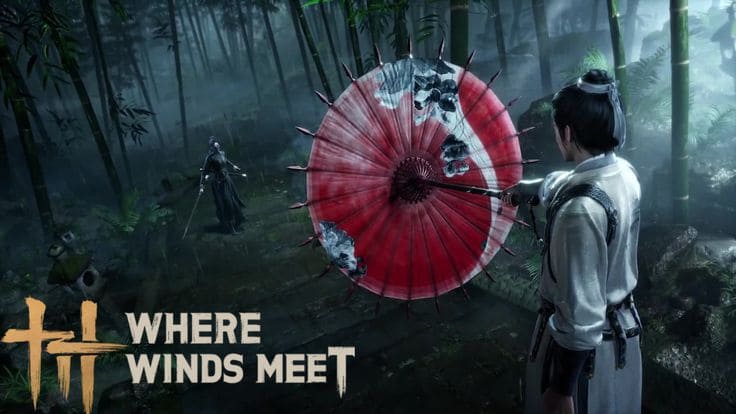
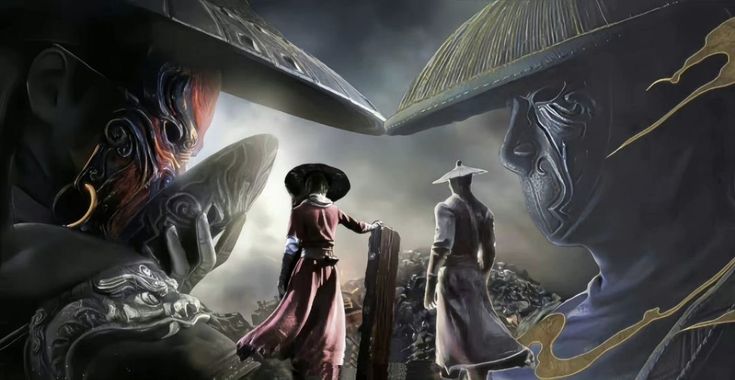
Where Winds Meet is completely free and one of the most visually stunning open world RPGs available on PC right now. Yet most players either do not know where to get it or run into confusing install issues that stop them before they even start. This guide walks you through the exact steps to download Where Winds Meet on PC today, covers everything you need to know about system requirements, fixes the most common errors, and gets you into ancient China in under an hour.
Free to play · Windows only · Available now on PC⬇ DOWNLOAD


What is Where Winds Meet and why is everyone playing it
The free Wuxia RPG taking PC gaming by storm
Where Winds Meet is a free-to-play open world action RPG developed by Everstone Studio and published by NetEase Games. It is set in tenth-century China during the turbulent Five Dynasties and Ten Kingdoms period, one of the most dramatic eras in Chinese history where political power shifted rapidly and legendary warriors shaped the fate of entire regions. You play as a young sword master navigating this world, uncovering your own identity while building a reputation across a vast and richly detailed landscape.
The game blends Wuxia martial arts fantasy with real historical atmosphere in a way that few RPGs have managed before. Think of it as Ghost of Tsushima meeting a Chinese open world but with 150 hours of content and a price tag of zero. Players choose their own path through the world including professions like doctor, merchant, assassin, or bounty hunter and the choices you make shape how NPCs react to you across the entire game.
Where Winds Meet launched with over 35 million pre-registrations worldwide and reached 100,000 concurrent Steam players within its first week. This is not a small indie experiment. This is one of the biggest free RPG launches of 2025.

What makes Where Winds Meet different from other free PC RPGs
Most free-to-play RPGs lock meaningful content behind paywalls or force you into repetitive grinding loops designed to push you toward spending money. Where Winds Meet takes a genuinely different approach. The entire story, all 20 exploration regions, and over 40 martial arts to master are available to every player without spending anything. Monetization is limited to cosmetic items like character outfits, weapon skins, and visual effects and none of it affects gameplay power.
The combat system also stands out in a genre crowded with button mashers. Where Winds Meet uses a fast and responsive combat model that rewards timing and weapon switching rather than just hitting the same combo repeatedly. You can build your character around a glaive, dual blades, rope dart, bow, fan, or even an umbrella and the fighting style feels genuinely different with each weapon choice. If you have been looking for a deep free RPG that respects your time and your wallet this is it. You can start your free Where Winds Meet journey on PC here and be playing within the hour.
Where Winds Meet PC system requirements: will your PC run it
Minimum and recommended specs compared
Before you download anything it is worth checking whether your PC can handle Where Winds Meet comfortably. The game is visually ambitious and while it is well optimized it does need a reasonably capable machine to run at a playable frame rate. Here is the full breakdown of minimum versus recommended specifications.
| Component | Minimum | Recommended |
|---|---|---|
| OS | Windows 10 64-bit | Windows 10 / 11 64-bit |
| CPU | Intel i7-4790 / Ryzen 5 1600 | Intel i7-8700K / Ryzen 5 3600 |
| RAM | 16GB | 16GB |
| GPU | Nvidia GTX 1060 6GB / RX 580 8GB | Nvidia RTX 2070 / RX 5700 XT |
| DirectX | Version 11 | Version 12 |
| Storage | 60GB SSD recommended | 60GB SSD |
| Internet | Required (online game) | Stable broadband |
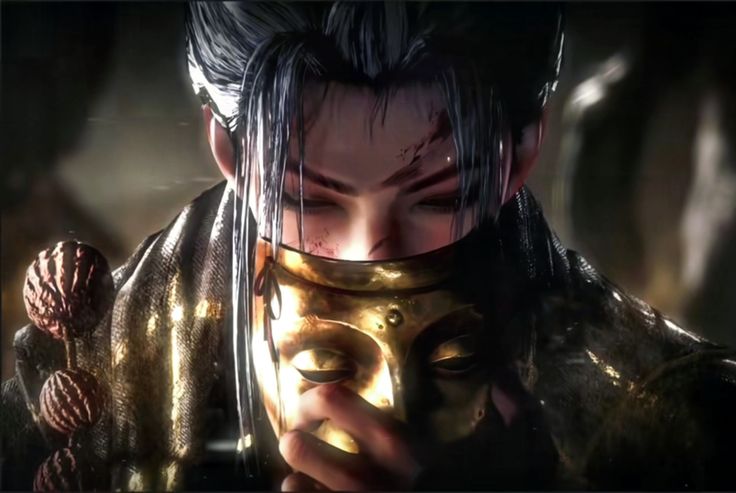
Can you run Where Winds Meet on a budget or low-end PC
If your GPU is a GTX 1060 or equivalent you can run Where Winds Meet at low to medium settings with a playable frame rate. The game responds well to settings adjustments and dropping shadow quality, draw distance, and render scale can recover significant FPS on budget hardware without making the game look bad. The key requirement to watch is RAM since the minimum is 16GB which is higher than many older budget builds carry. If you are running 8GB you will need to upgrade before the game runs reliably.
Storage type matters more in Where Winds Meet than in many games because the open world constantly streams new assets as you move between regions. Installing on an SSD rather than a traditional hard drive is listed as a recommendation in the official specs for a reason. On an HDD you will experience noticeable pop-in and occasional stuttering during fast travel and zone transitions that simply do not happen on SSD.
Where to download Where Winds Meet on PC for free


Download Where Winds Meet via Steam
Steam is the most convenient way to get Where Winds Meet on PC if you already have a Steam account. The process is quick and Steam handles all future updates automatically which saves you from manually checking for patches.
- Open Steam and search for “Where Winds Meet” in the store search bar
- Navigate to the game’s official store page
- Click the blue “Play Game” button since the game is free there is no checkout step
- Steam will add Where Winds Meet to your library automatically
- Click Install and choose your preferred drive
- Wait for the 60GB download to complete then click Play
Download Where Winds Meet via Epic Games Store
Epic Games Store is the second major PC platform where Where Winds Meet is available for free. If you do not use Steam or prefer Epic the process is just as straightforward. Open the Epic Games launcher, search for Where Winds Meet, click Get and then Install. Epic occasionally offers additional launch rewards and in-game bonuses for players who add games through the store so it is worth checking the Where Winds Meet Epic page for any active promotions when you download.
Download directly through the official launcher
For players who prefer to keep their games outside of third-party stores the official Where Winds Meet launcher is available directly from the game’s website. You can get the official Where Winds Meet PC installer here and be downloading within two minutes. The official launcher gives you direct access to game news, patch notes, and event announcements alongside the game itself which is useful for staying up to date with seasonal content.
Important: Where Winds Meet is currently available on Windows PC only. Mac users cannot install the game through any of the above methods at this time. Make sure you are on a Windows 10 or Windows 11 machine before starting the download.

How to install Where Winds Meet on PC: step-by-step
Installing on Windows 10 and Windows 11
The installation process for Where Winds Meet is the same across both Windows 10 and Windows 11. Before you begin make sure your Windows is fully updated since outdated system builds can cause launcher compatibility issues and DirectX errors during first launch. Also confirm you have at least 65GB of free space available on your chosen drive to accommodate the base install plus room for future updates.
During installation you will be asked to choose an install location. Always pick your fastest drive. If you have both an SSD and an HDD in your system choose the SSD every time for Where Winds Meet. The world streaming performance difference is significant enough to affect how smooth the game feels during normal exploration not just during loading screens.
Should you install Where Winds Meet on SSD or HDD
SSD every time without hesitation. Where Winds Meet’s open world spans 20 distinct regions and the game engine streams terrain data, NPC models, and environmental assets continuously as you explore. An SSD delivers that data fast enough that the experience is seamless. An HDD simply cannot keep up with the game’s streaming demands which results in visible pop-in, frame stuttering during fast movement, and occasionally longer black screens when fast traveling between distant locations.
Where Winds Meet PC download: common problems and fixes
Download stuck or extremely slow
A stuck or slow download is almost always caused by server congestion or a local network issue rather than anything wrong with your PC. The first fix to try is pausing the download for thirty seconds and then resuming it. This resets the connection to the download server and often restores normal speed immediately. On Steam try switching your download region in Settings under Downloads to a server in a less congested location. Regions in off-peak hours typically deliver faster speeds than your default region during busy periods.
Game crashes on launch or shows black screen
A black screen on launch or an immediate crash after the title screen usually points to one of three causes: outdated GPU drivers, missing DirectX or Visual C++ components, or a conflict with overlay software. Work through these steps in order and most launch issues will resolve.
- Update GPU drivers via GeForce Experience for Nvidia or AMD Software Adrenalin for AMD
- Install the latest Microsoft Visual C++ Redistributables from the Microsoft website
- Run the DirectX End-User Runtime installer to ensure DirectX 11 and 12 components are complete
- Disable Discord overlay, MSI Afterburner, and any other overlay software temporarily
- Run the game launcher as administrator by right-clicking and selecting Run as administrator
- Restart your PC after completing each step before testing again

Installation failed or corrupted files error
If your installation fails or you see an error about corrupted files the most reliable fix is to use the file verification tool built into your launcher. On Steam right-click Where Winds Meet in your library, open Properties then Local Files, and click Verify integrity of game files. Steam will scan all installed files and redownload only the ones that are missing or damaged without restarting the entire 60GB download from scratch. On the official launcher look for a Repair option in the settings or gear icon menu.
Antivirus software is a common but overlooked cause of corrupted installations. Windows Defender and third-party antivirus programs sometimes quarantine launcher files during installation flagging them incorrectly as suspicious. Check your antivirus quarantine folder after a failed install and restore any Where Winds Meet files you find there. Then add the game’s installation folder to your antivirus exclusion list before attempting to reinstall.
Low FPS or severe stuttering after install
If Where Winds Meet runs but feels choppy or stutters heavily the most common cause is settings that exceed what your GPU can handle. The default auto-detected settings are not always accurate so open the graphics menu immediately after your first login and manually check render scale, shadow quality, and texture quality. Dropping render scale to 80% and shadow quality to medium recovers significant FPS on mid-range hardware without making the game look noticeably worse during normal play.
First launch: what to do the moment installation finishes
Creating your account and logging in
Where Winds Meet requires a free account to play. Account creation takes under two minutes and needs only an email address and a password. There is no payment information required at any stage of the signup process. After verifying your email you will be logged in and taken directly to the server selection screen. Choose a server that is geographically close to your location for the lowest ping and the smoothest online experience.
Character creation and your first steps in Jianghu
Where Winds Meet has one of the most detailed character creators in any free RPG available today. You can spend anywhere from two minutes to two hours here depending on how particular you are about your character’s appearance. One genuinely impressive feature is the ability to upload a photo of yourself and have the game generate a character face based on it. It requires some tweaking to look right but it is one of the most unique character creation tools in any game at any price point.
Once you are in the world the game eases you into its systems with a short tutorial that covers movement, basic combat, and the exploration loop. Pay close attention during the weapon introduction section since your choice of primary weapon shapes your early combat style significantly. You can switch weapons later but your first weapon determines which martial arts you unlock in your opening hours and those early skill unlocks affect how the game feels during the critical first few sessions when most players decide whether to keep playing or move on.
Best settings to configure before your first real session
Before you dive into the main story take five minutes to configure your graphics settings properly. The auto-detected preset is a starting point not a final answer. Open settings and verify your resolution matches your monitor, check that render scale is at 100% for mid-range and high-end GPUs or 80% for budget cards, and disable motion blur and depth of field immediately since both hurt gameplay clarity without adding meaningful visual value during active play. For a detailed breakdown of every setting and how to optimize Where Winds Meet for your specific hardware check our PC performance optimization guide which covers the same principles that apply directly to open world RPGs like this one.
Where Winds Meet download size and update management
How big is the Where Winds Meet download
The base installation for Where Winds Meet on PC is approximately 60GB. This reflects the game’s detailed world geometry, high-resolution textures across 20 regions, thousands of unique NPC models, and the extensive voice acted story content. On a 100Mbps connection expect the full download to take around 90 minutes. On slower connections plan for a longer download and consider starting it overnight to avoid the frustration of watching a progress bar for hours during your gaming time.
Like most live service games Where Winds Meet grows in size over time as seasonal updates and new content regions are added. The Hexi expansion added a new explorable area in early 2026 and brought additional download requirements with it. Budget around 70 to 75GB total to give the game comfortable room for updates without running into low disk space warnings mid-patch.
Managing updates without interrupting your play sessions
Your game progress in Where Winds Meet is stored server-side which means it is tied to your account rather than your local files. This is excellent news because it means a full reinstall at any point will never cost you progress, items, or story completion. Everything is safe in the cloud and accessible from any Windows PC where you install the game and log into your account.
On Steam you can control update timing by going to your library, right-clicking Where Winds Meet, selecting Properties then Updates, and changing the automatic update setting to “Only update this game when I launch it.” This prevents Steam from downloading large patches in the background during your regular internet usage while ensuring the game is always current when you actually want to play.
Expert tips for new Where Winds Meet players on PC
5 things to do in your first two hours
Your opening hours in Where Winds Meet set the tone for everything that follows. These five priorities will save you time and frustration and make your early game significantly more enjoyable.
- Pick your profession intentionally. Doctor, merchant, assassin, and bounty hunter all offer genuinely different experiences beyond cosmetics. The profession you choose affects dialogue options, faction relationships, and some gameplay mechanics so read the descriptions carefully before committing.
- Talk to every NPC you see. Unlike most MMOs where NPCs are furniture the characters in Where Winds Meet have distinct personalities and organic side quests that are not marked on your map. The best content in the game is found by simply interacting with the world around you.
- Experiment with multiple weapons early. The game gives you access to several weapon types in your opening hours. Spend time with at least two or three before settling on a main combat style since the feel difference between a glaive and dual blades is substantial.
- Join a guild as soon as possible. Guild membership unlocks group activities, multiplayer dungeons, and a community of players who can answer questions and help you progress faster through the early game systems.
- Optimize your graphics settings before your first long session. Do not wait until performance problems appear. Get your settings right from the start so you can focus on the game rather than troubleshooting frame rate issues mid-exploration.
How to play Where Winds Meet with friends on PC
Co-op in Where Winds Meet supports up to four players in the same party for exploration, story content, and boss encounters. The critical requirement for playing with friends is that everyone must be on the same server. Decide on a server together before anyone creates a character since switching servers requires starting a new character from scratch which means losing your progress on that server permanently.
Once you are on the same server add friends through the social menu using their in-game account names. Party up through the team formation screen and you can share most content together including main story quests up to certain chapters, open world exploration, and the multiplayer dungeons that unlock after your first few hours in the game. For voice communication most players run Discord alongside Where Winds Meet since the game itself does not have built-in voice chat.
Downloading Where Winds Meet on PC takes less than two minutes to set up and under 90 minutes to install on a decent connection. You now know exactly where to get it, what your PC needs to run it well, how to fix the most common installation problems, and what to do the moment you land in tenth-century China. The only thing left is to actually play it. Get your free Where Winds Meet download started right now and let your legend begin.